How To Connect X Broadcast Chat
SheevChat can receive chat from a live X broadcast and use those messages in supported local features. X sending and moderation are not included.
Add X to Your Platforms
- Open Settings → Connections.
- Under Your platforms, click Add platform.
- Choose X.
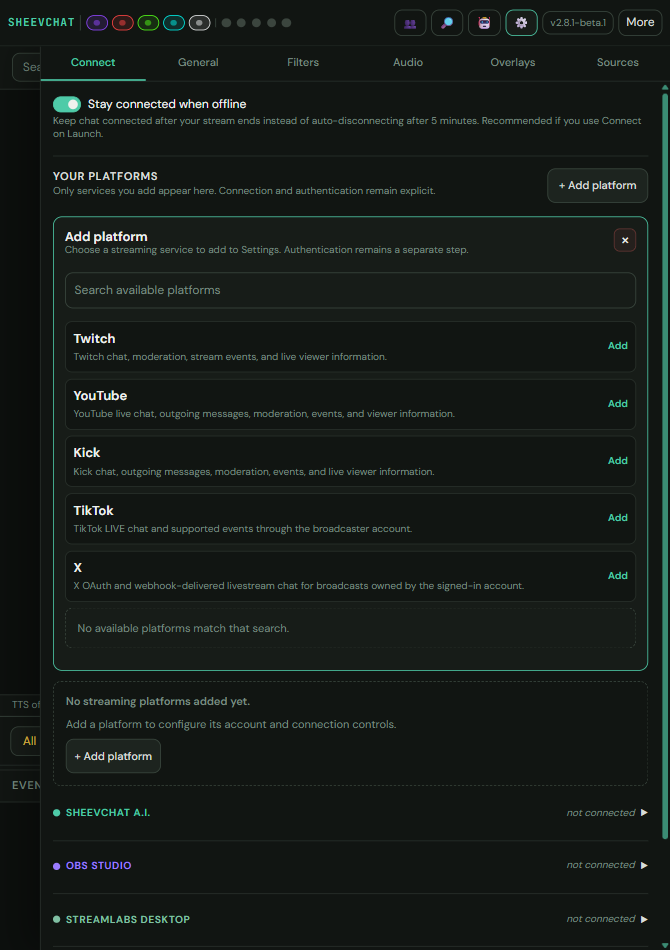
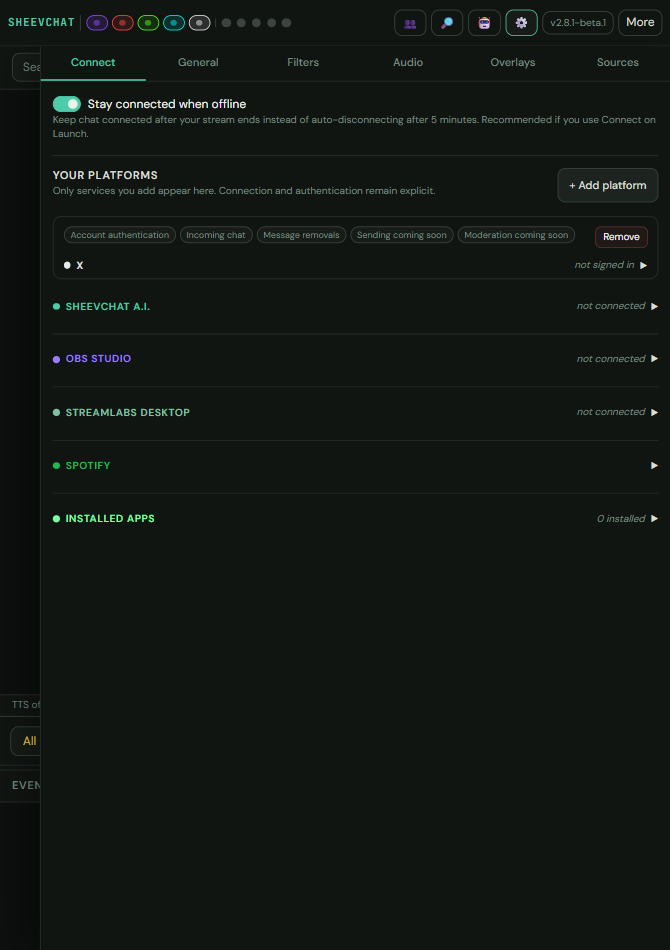
Only services you add remain visible in Connections. Removing X hides its connection card; it does not add outbound capabilities.
Connect the Broadcast
- Open the X connection card.
- Complete the requested account or broadcast details.
- Enable Connect on launch if SheevChat should reconnect whenever an eligible broadcast is available.
- Start the connection and confirm X appears active in the platform header.
Understand Receive-Only Participation
Incoming X viewers can participate in supported local commands, automations, loyalty points, watchtime, chat games, TTS, and overlays. Commands such as !setcolor can update local viewer settings.
SheevChat silently skips actions that would send a message or moderation request back to X. A sequence can therefore complete its local actions while its chat-response action produces no X message.
Common Problems
- X is missing from Connections: Add it through Your platforms.
- Chat appears but the bot does not answer: X is receive-only in SheevChat 2.8.0.
- A local action does not run: Confirm the command or automation supports X and the viewer meets its permissions.
- It does not reconnect: Enable Connect on launch and confirm an eligible broadcast is available.